RustKeep: A Open Source Google Keep and Notion Alternative Running on 1.5 MB of RAM
A Google Keep and Notion alternative I built in Rust to keep my notes, projects, files and API keys in one place, running on my own server with about 1.5 MB of RAM.
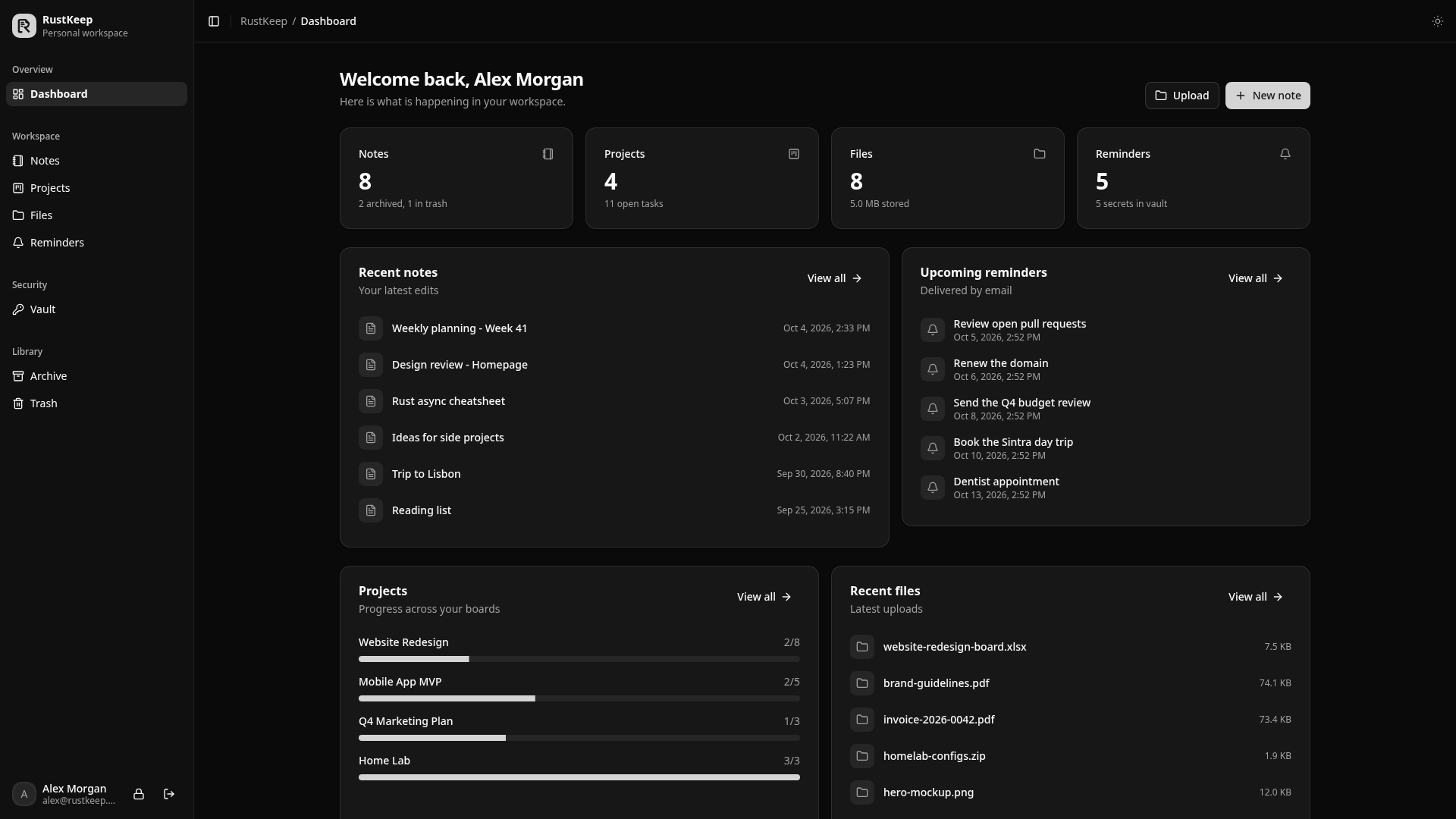
For a long time my notes were scattered all over the place. Quick thoughts went into Google Keep, longer write-ups and project plans went into Notion, API keys sat in a text file I wasn't proud of, and reminders lived wherever I happened to be when I remembered something. None of these tools were bad, but none of them were mine either, and every one of them asked me to trust a third party with data I'd rather keep close.
So I built RustKeep: a self-hosted alternative to Google Keep and Notion. It's as quick as Keep when I just want to jot something down, has enough of Notion's structure for projects, and runs on my own server using around 1.5 MB of RAM.
What it does
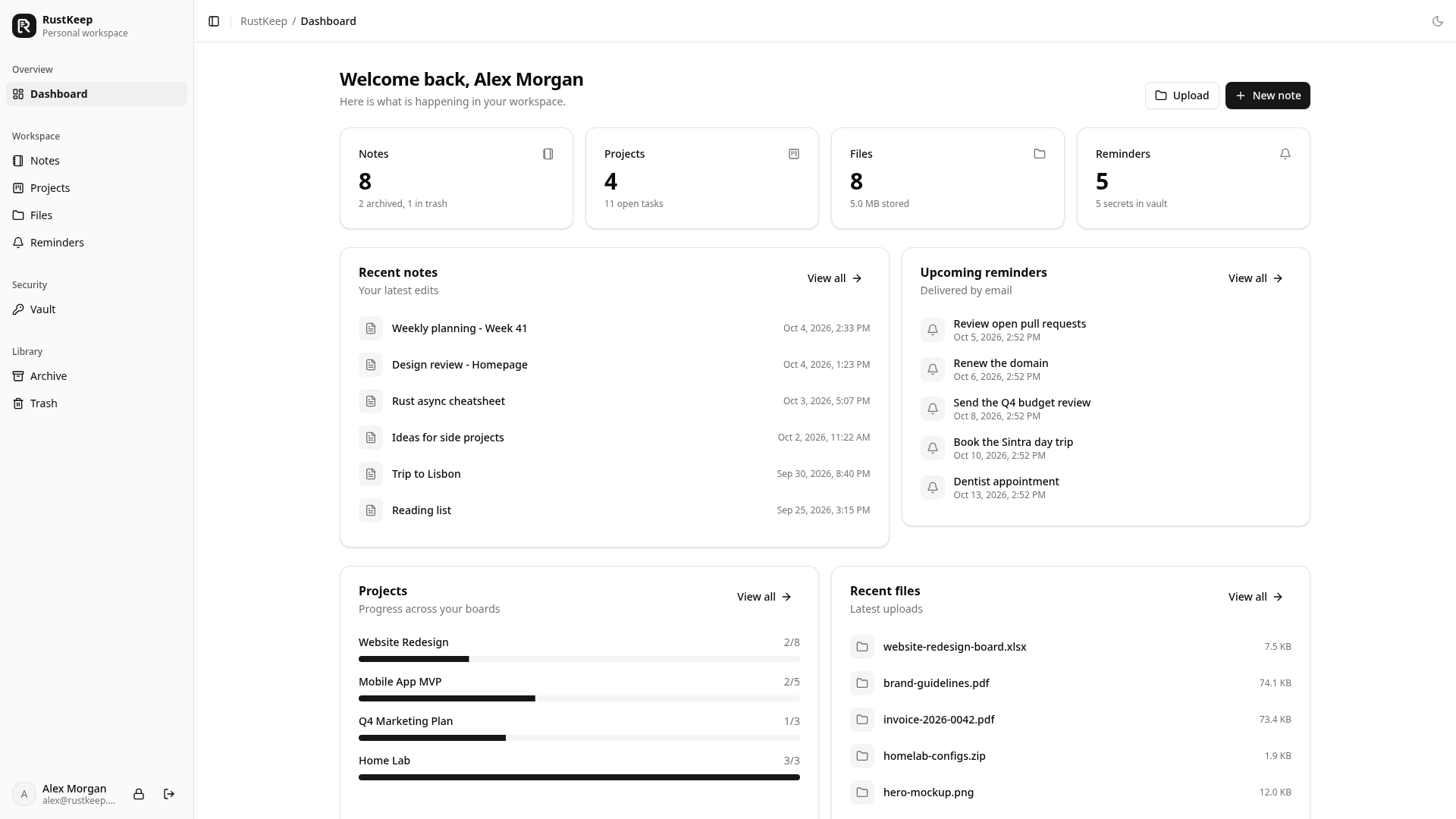
RustKeep isn't trying to replace every productivity app out there. It covers exactly the things I reach for every day, and keeps them in one place:
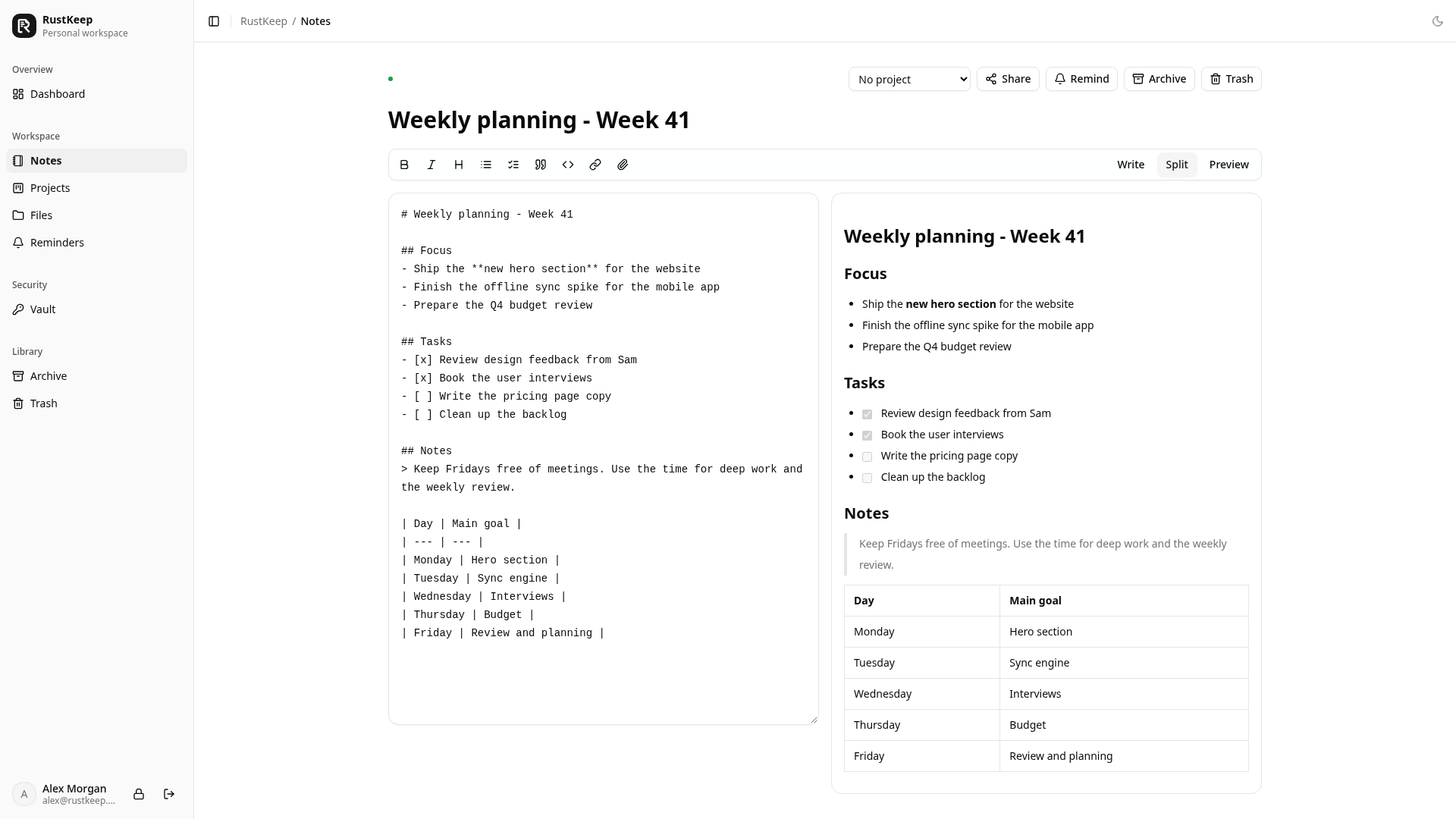
- Notes with a split-view Markdown editor and live preview. Everything is saved as you type, so there's no save button to forget.
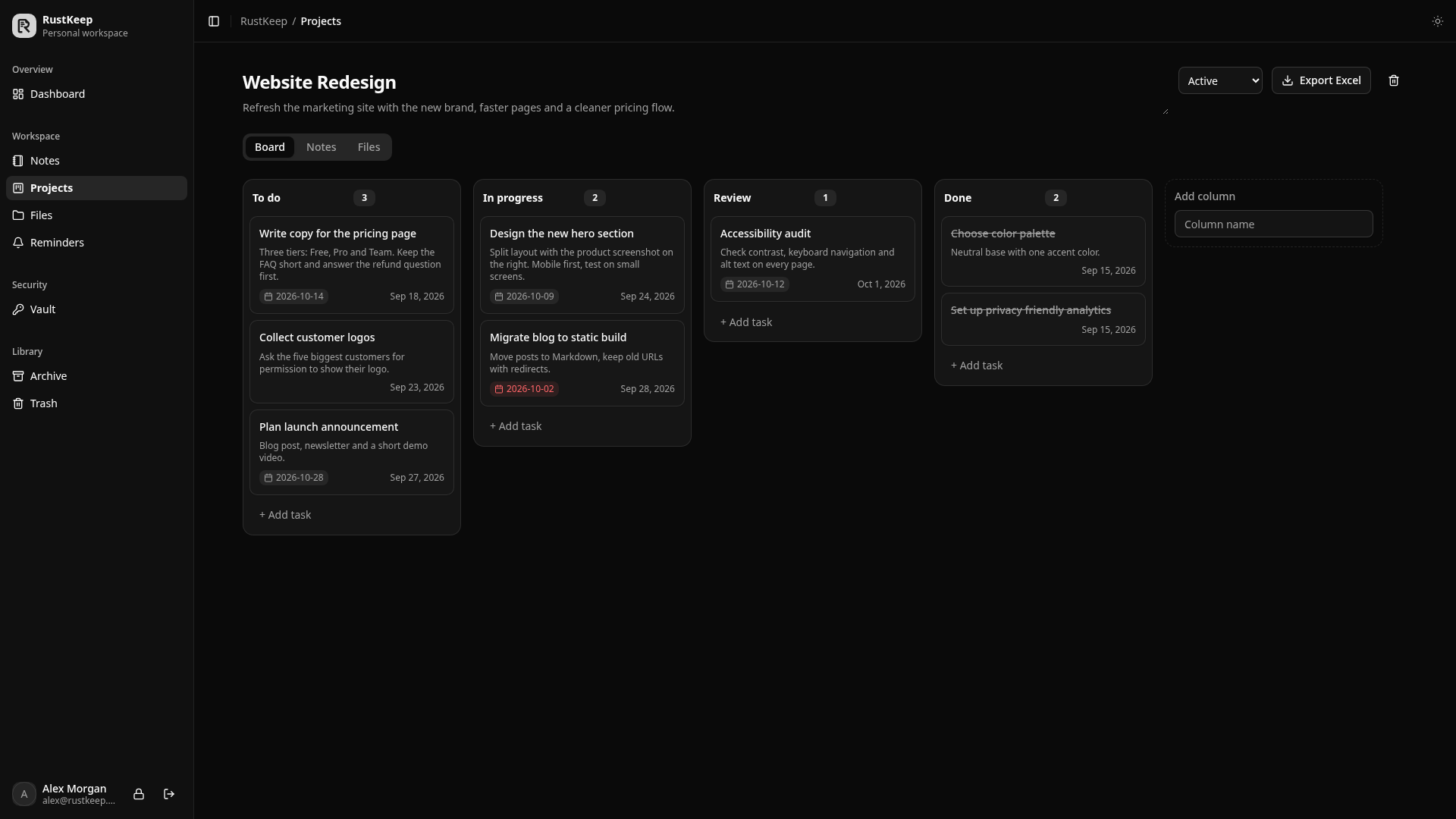
- Project boards in kanban style, with custom columns, due dates and a description on every card.
- Files, so the documents that belong to a project live right next to it.
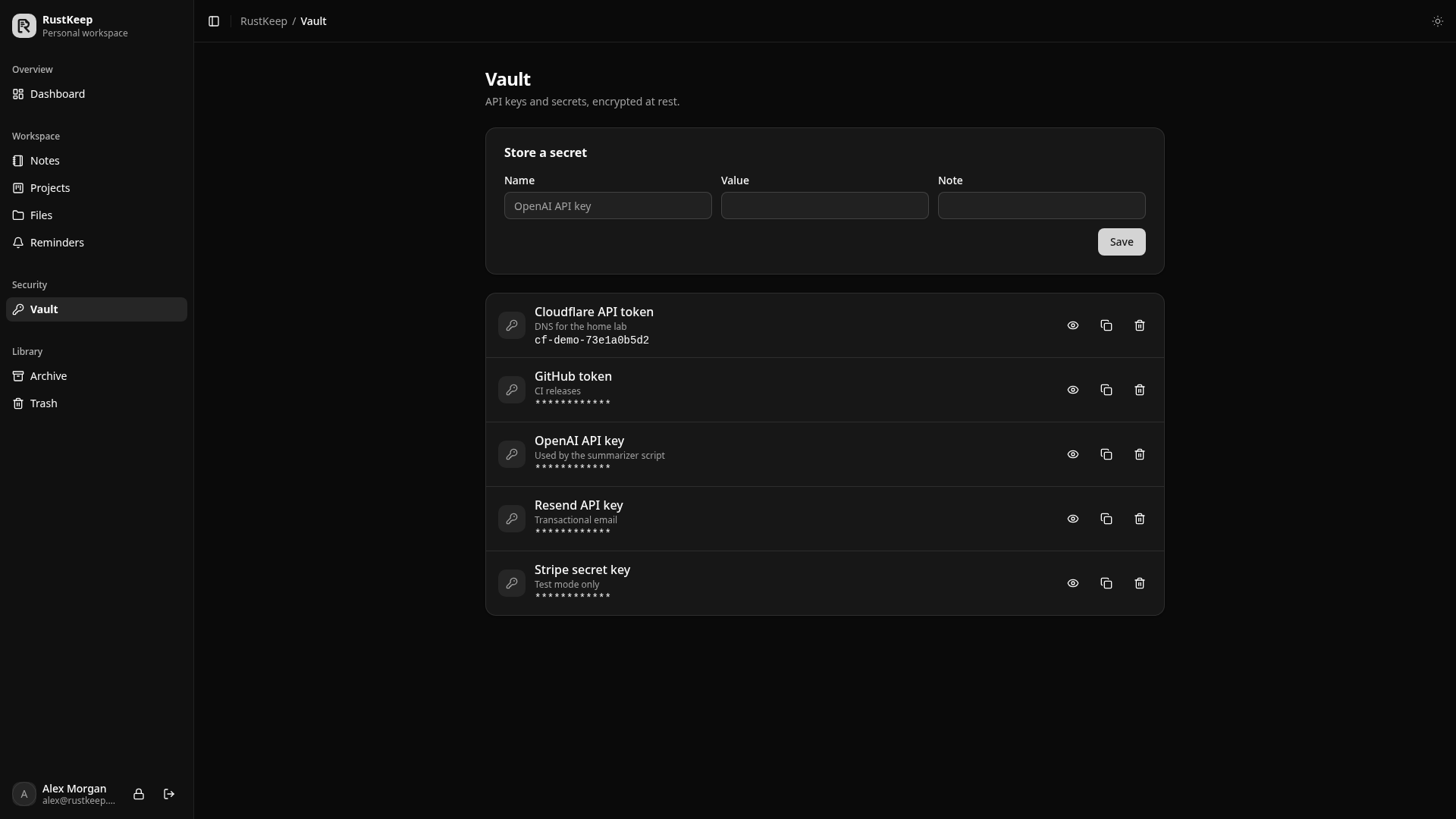
- A vault for API keys and other secrets, locked behind a PIN.
- Reminders, which show up on the dashboard alongside everything else.
The dashboard pulls all of this together into a single summary, and of course there's a dark mode.
Writing notes
The editor is where I spend most of my time. Markdown on the left, rendered preview on the right, and autosave in the background. It's simple on purpose: open it, write, close it.
Keeping projects on track
For anything bigger than a note, there are project boards. Each project gets its own kanban board with the columns I actually need instead of a fixed "To do / Doing / Done" layout. Cards carry due dates and descriptions, which is usually all the structure a side project needs.
A safe place for secrets
The vault was one of the main reasons I started this project. API keys and tokens are stored encrypted at rest, the vault itself is protected by a PIN, and passwords are hashed with Argon2id. Notes can also be marked as secret, which encrypts them the same way.
Built with Rust, end to end
Both sides of RustKeep are written in Rust:
- Server: axum on a single-threaded tokio runtime, with libSQL as the database. It can use a local SQLite file or a remote Turso database.
- Client: Leptos in client-side rendering mode, with rust-ui components and Tailwind v4.
Choosing Rust for a notes app may sound like overkill, but it's what makes the memory numbers possible.
How small is it?
Keeping the server lightweight was a goal from day one. I wanted something that could run on the smallest VPS or a spare Raspberry Pi without me ever thinking about it. Here's where it landed:
| Setup | Resident memory |
|---|---|
| Docker image (Alpine, musl), idle | ~1.5 MB |
| Native release build, idle | ~6.6 MB |
| Native release build, after 100 API requests | ~7.3 MB |
The only noticeable spike comes from signing in or unlocking the PIN: Argon2id briefly uses about 7 MB for password hashing, and then memory drops right back down.
No migration files
One thing I really didn't want to deal with on a personal project was migration files. RustKeep doesn't have any. When the server starts, it compares every table in the database with the schema defined in code. Tables that have changed are rebuilt inside a transaction, with all rows and every column that still exists copied over. With a local database, a full backup is written before anything is touched.
In practice this means upgrading is just deploying the new version. Existing data stays where it is.
Running it yourself
The image is published on Docker Hub, so getting started takes two commands:
docker pull veucci/rustkeep
docker run -p 8080:8080 -v rustkeep-data:/data --env-file .env veucci/rustkeep
Configuration lives in a .env file: port, data directory, an optional Turso connection and an optional Resend key for emails. Every option is documented in the README. Just remember to keep your SECRET_KEY safe, because without it the vault and secret notes can't be decrypted.
Wrapping up
RustKeep started as a tool for myself, and it's already replaced the patchwork of apps I used to juggle. It's open source under the MIT license, so feel free to run it, fork it or build on it. You can find the code, screenshots and full setup guide on GitHub. If you have ideas or questions, I'd love to hear them.
Written by

Efe Özkan
AI & Software Developer